Cloudflare open-sourced its privacy proxy command-line tool, pvcli, on July 27 under the Apache 2.0 license. The tool helps developers construct and inspect requests using privacy-preserving protocols, including Oblivious HTTP. It packages encoding, encryption and diagnostic output that previously required separate scripts and manual inspection.
The Cloudflare engineering post explains the problem through the several parties involved in an Oblivious HTTP request. When a request fails, developers need to determine which step went wrong without rebuilding the protocol by hand.
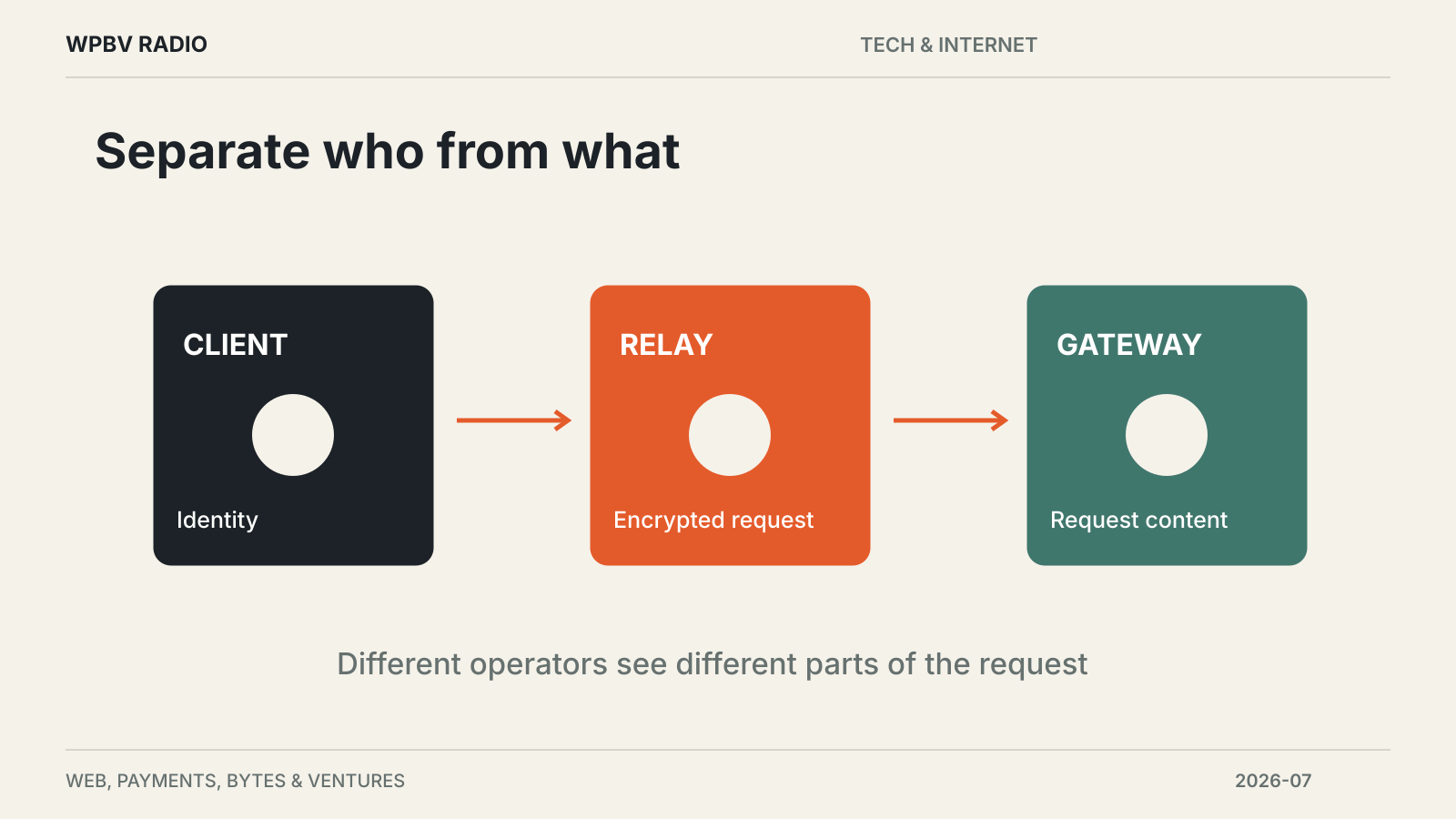
Oblivious HTTP separates identity from request content
In the architecture described by Cloudflare, a client encrypts a request and sends it through a relay to a gateway. The relay can see the client’s connection but not the encrypted request’s contents. The gateway can decrypt the request but receives it through the relay.
That separation relies on the relay and gateway being operated by non-colluding parties. It is the deployment architecture, not simply the use of a particular command-line tool, that provides the privacy property.
The gateway sends the request to the target service and passes the encrypted response back through the relay. Each transition can introduce configuration, formatting or transport errors that make troubleshooting difficult.
The tool exposes the steps developers need to inspect
pvcli uses a curl-like interface and can print detailed logs. Cloudflare’s examples show it handling binary HTTP encoding and request encryption while allowing different headers or client authentication at the first hop.
This helps an operator test a real relay-and-gateway arrangement without writing a new client for each investigation. It also gives developers a way to compare a failing request with a known working sequence.
The release post distinguishes current functionality from future work. Privacy Pass is described as coming soon, while several MASQUE and Oblivious HTTP improvements appear on the project’s to-do list. Developers should check support for their exact protocol path before relying on the tool.
Read more about browser and network infrastructure at the Tech & Internet desk.