Semantic versioning, explained practically, is a way for software maintainers to signal changes to a declared public API. A major number signals incompatibility, a minor number compatible functionality and a patch number compatible fixes. The numbering policy helps you assess an update; your dependency range, lockfile and validation process determine what you actually install and trust.
Start with the interface your software uses
Suppose an imaginary package exports a function your application calls. You depend on its accepted inputs, returned values and documented behavior. Those form the useful boundary for deciding whether an update is compatible.
The SemVer 2.0.0 specification requires a declared public API. A familiar three-part number alone does not prove that a publisher follows those rules. Check the project’s release policy and changelog before interpreting the number as a promise.
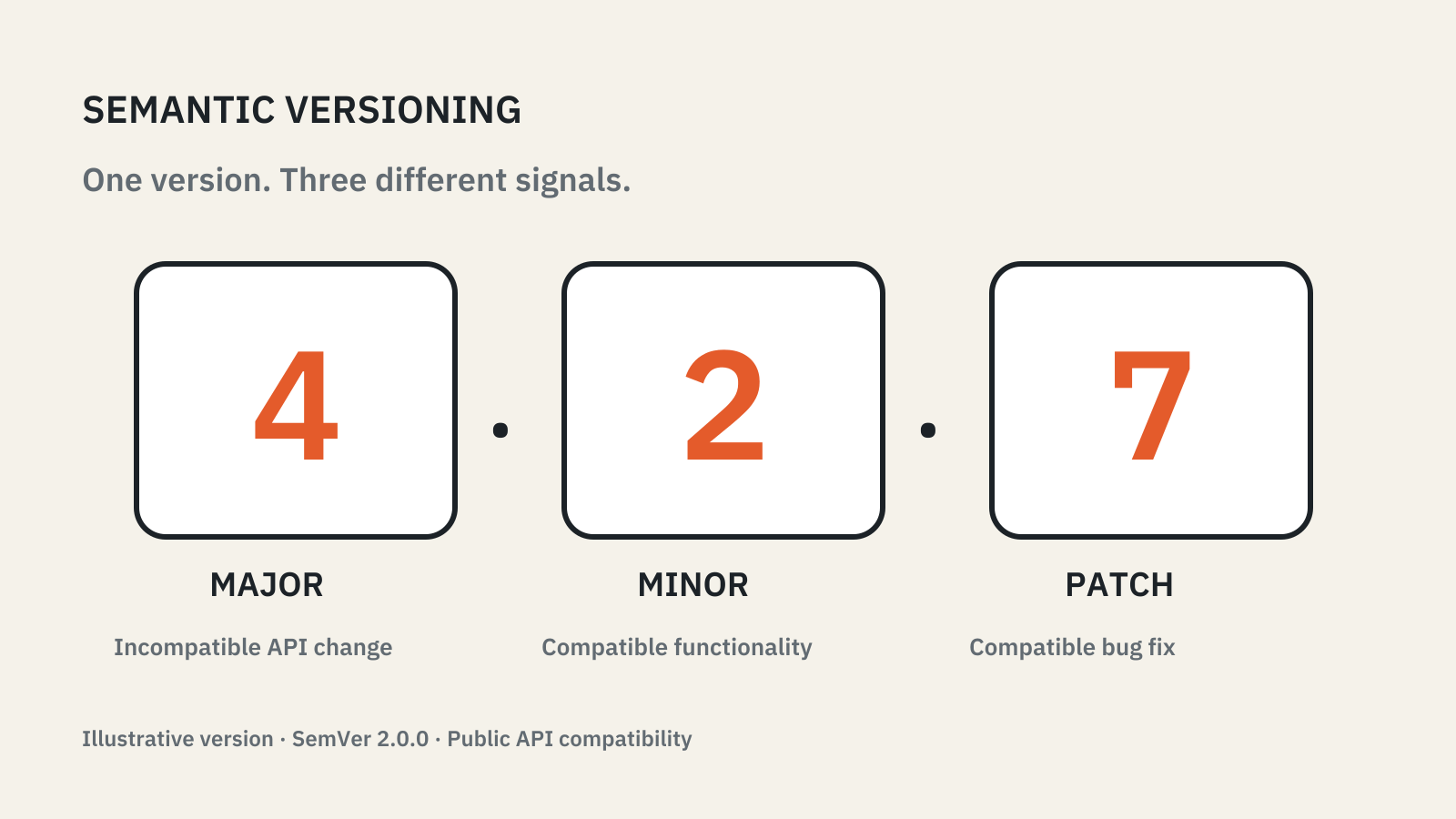
For a fictional stable package at 4.2.7, the components mean:
| Component | Signal under SemVer |
|---|---|
| Major: 4 | An incompatible public API change requires a new major version. |
| Minor: 2 | Compatible new public functionality requires a new minor version. |
| Patch: 7 | Compatible bug fixes require a new patch version. |
The example identifies no real product or release. It shows how the numbering convention works.
The number helps frame a migration
Imagine your application calls readInvoice(id). A release that removes that function would force you to change your code. A release that adds another optional function could leave the existing call working.
The practical questions are therefore concrete: does the function still exist, does the same input work, and can your code still use the result? A change’s size in lines of code does not answer those questions.
Version zero and prereleases need particular care. SemVer treats 0.y.z as initial development and does not promise a stable public API. A prerelease such as 4.3.0-beta.1 precedes the corresponding normal release. Do not infer production readiness from a beta’s larger minor number.
A dependency range is a separate instruction
A package’s version names one release. Your project’s dependency declaration tells its package manager which releases it may select.
The npm package.json documentation supports exact versions and version ranges, among other dependency forms. Read the actual declaration when reviewing an upgrade; do not assume that a developer’s phrase “we use version four” describes a fixed installation.
For a team, two separate changes may need review: changing the allowed range and changing the installed dependency resolution. One expresses policy; the other changes the concrete software used by the project. Keeping them distinct makes an update easier to assess.
Reproduce the installation before assessing it
A lockfile records a resolved dependency tree. npm documents npm ci for clean, automated installations: it requires an existing lockfile, fails when it conflicts with package.json, and does not update either file.
That supports reproducibility, which is different from correctness. Reinstalling the same dependency tree does not establish that your payment workflow, document export or background job behaves as intended. The resolved tree is also what a software bill of materials can record when a team needs to know exactly which components shipped.
A useful upgrade review connects three things:
- The release notes say what changed.
- The dependency and lockfile changes show what your project will use.
- Checks of the affected behavior show whether the application still works.
The same applies to developer tools: Pylance, for example, lets teams pin the version of the Pyrefly type checker it runs. Choose the final checks from the behavior at risk. If a library handles imported files, use representative files and verify the exported result. If it formats money, inspect rounding and currency handling. A clean build is useful evidence, but it may not exercise either workflow.
Read release labels alongside browser channels
Package numbering and release channels answer different questions. A package can use SemVer while publishing experimental builds; a browser’s Stable channel does not mean its version number follows the SemVer API contract. See browser release channels for that separate distinction. A third question is timing: app stores and browsers often deliver the same version to users in steps, which our staged rollout explainer covers.