A staged rollout explained in one sentence: the developer releases a new version to a small share of users first, watches what happens, and widens the release only if nothing breaks. That is why a colleague can have an app update or browser fix on Monday while your phone or laptop still shows the old version on Thursday.
The delay is usually deliberate. It is not proof that your device is broken, that the update was withdrawn, or that you are on a different release channel. This guide covers how the main app stores and Chrome handle it, and what you can do when you need a specific version.
Release day is not delivery day
A changelog or blog post marks the moment a version becomes available to some people. Your device’s update is a separate event that depends on the rollout plan behind it.
Both major mobile stores give developers a way to spread an update over time:
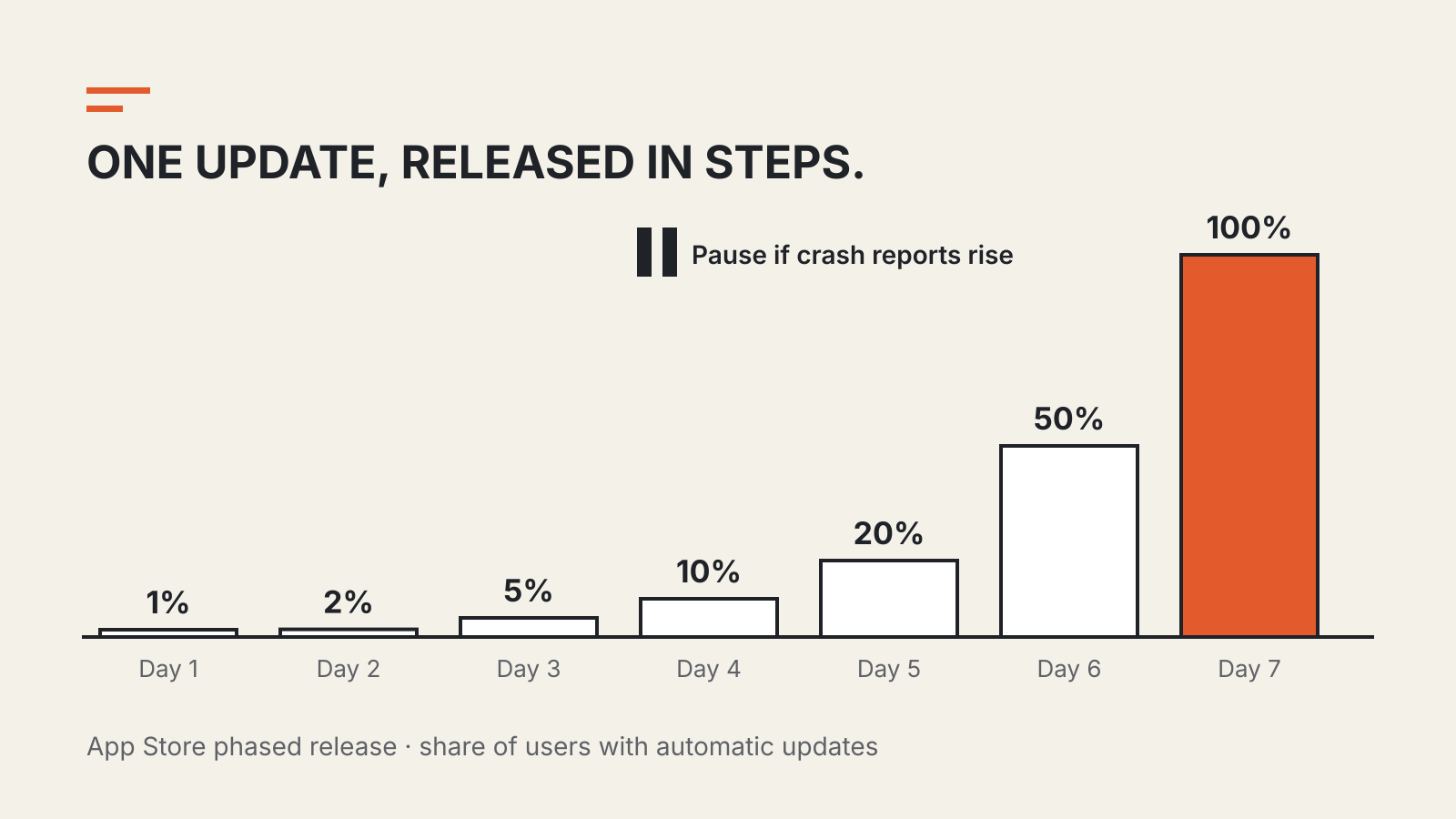
- Apple App Store. Apple’s phased release delivers a version update over seven days to a random sample of users who have automatic updates turned on. Apple says those users are not notified that they are part of a phased release.
- Google Play. A staged rollout sends an update to a percentage of users chosen by the developer. Google notes that the percentage does not increase automatically: the developer raises it.
Neither system is a waiting list you can join. Selection is random, and on Google Play it can also be limited to particular countries.
Apple’s seven-day schedule
Apple publishes the exact steps of its phased release. The share applies to users with automatic updates on eligible devices:
| Day of phased release | Share of those users |
|---|---|
| 1 | 1% |
| 2 | 2% |
| 3 | 5% |
| 4 | 10% |
| 5 | 20% |
| 6 | 50% |
| 7 | 100% |
Two details matter for readers. First, Apple states that anyone can download the new version manually from the App Store at any time during the phased release. The schedule controls automatic delivery, not access. Second, the developer can pause the release for up to 30 days in total, or skip ahead and release to all users at once.
So if an iPhone app announces a fix that you need today, opening its App Store page and tapping Update is a legitimate shortcut. If no update button appears, the version may not be available for your device or region yet.
Google Play: the developer sets the pace
Google Play works differently. The developer picks a starting percentage, can raise it in steps, and can halt the rollout if crash reports or reviews point to a problem. Staged rollouts apply only to updates, not to an app’s first publication.
Google’s documentation is explicit about what a halt does and does not do. Users who already received the version stay on it; no additional users get it. To fix a bad build, the developer ships a new release rather than pulling the old one back from devices.
Google also says that users in a rollout are not notified, and that even within the selected percentage it can take time for everyone to receive the update. A device that should be included may still lag.
Browsers roll out the same way
Chrome follows the same principle on the desktop. Google’s administrator documentation says it gradually updates computers on the Stable channel over a few weeks, and sometimes longer. In a Chrome for Developers interview, the release team explains that new versions are not pushed to 100% of users immediately, and that a critical bug leads them to halt the rollout of the affected version.
Managed organizations get extra control. The same admin page lists three choices for major and minor versions: participate in the gradual rollout (the default), apply updates only after the rollout completes, or apply them as soon as the rollout begins.
That is a different setting from the release channel. A channel decides which line of releases a device follows; the rollout decides when a device on that line gets the newest build. Our guide to browser release channels covers the first question, and the browser version tracker records which stable versions are current.
What to do when you need the new version
Start by checking whether the version you need is actually published for your platform. Release notes often list iOS, Android, desktop and web separately.
Then match the action to the platform:
- iPhone or iPad app: open the app’s App Store page and update manually. Apple’s documentation says phased-release versions can be downloaded this way at any time.
- Android app: check the app’s Google Play page. If the update is not offered, the rollout may not include your device yet; Google does not provide a way to join a staged rollout from the user side.
- Chrome: open the About page, which checks for updates. If you manage a fleet, your administrator’s rollout setting may hold devices back or move them forward.
- Work devices: ask IT before forcing anything. A managed policy may be holding a version deliberately while it is tested.
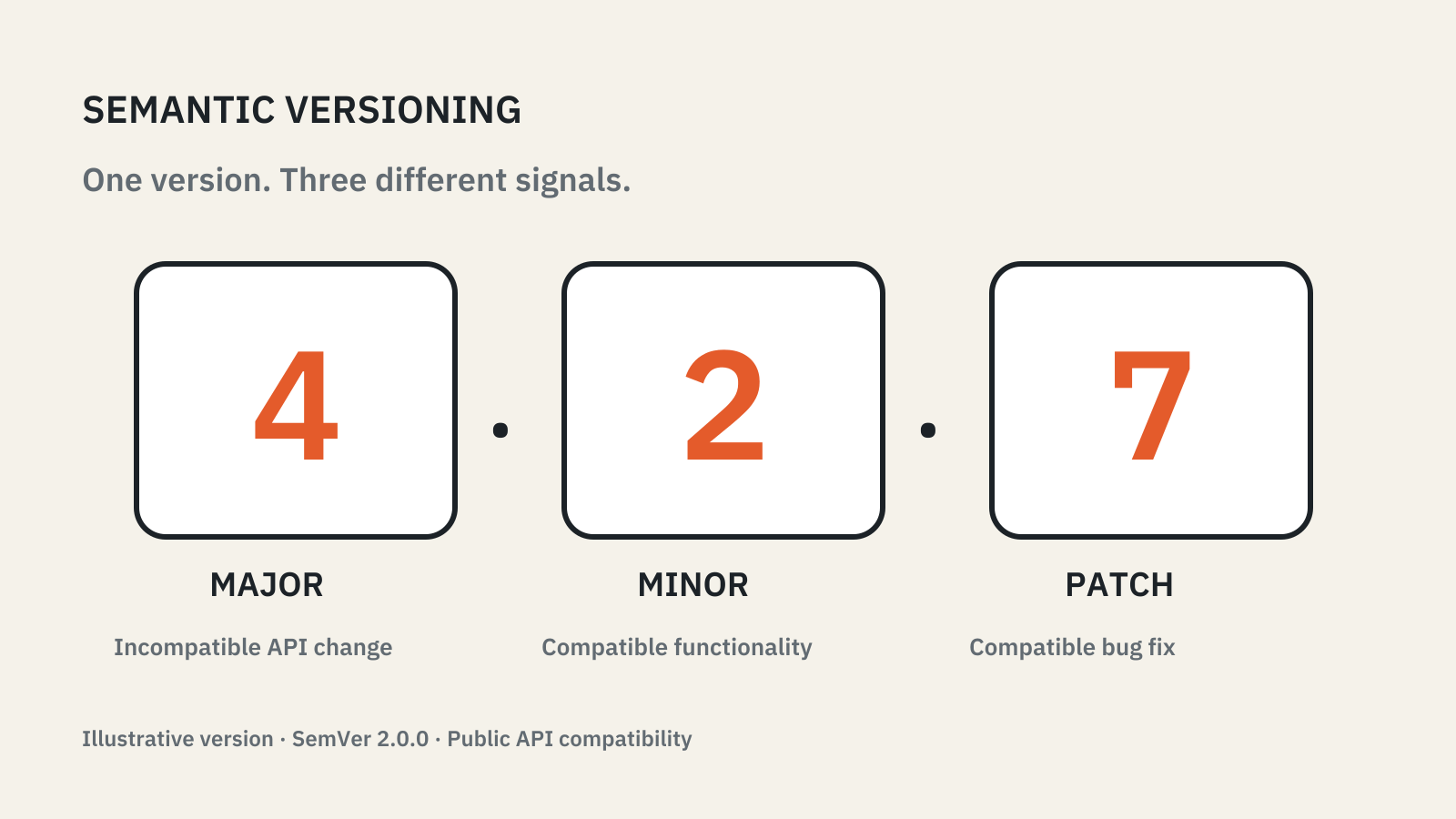
When reporting a problem, include the exact version number from the app’s About screen, not “the latest version”. During a rollout, “latest” means different builds on different devices. The semantic versioning explainer explains what the numbers themselves promise.
What a rollout tells you about a fix
A staged rollout is a safety mechanism, not a guarantee. It limits how many people meet a bad build before the developer notices; it does not mean the early group tested the version on your behalf.
It also means a security fix can take time to reach everyone. Read a vendor’s advisory for how it is delivering an urgent patch. If the advisory asks you to update now, the manual route above is usually the faster one.