The download finishes, the chat window opens, and the first answer arrives slowly enough for you to wonder whether anything is happening. Running a language model locally can be useful, but “runs on a laptop” covers a wide range of experiences.
Start with the work you want to do. Rewriting short notes, searching a document collection and generating code across a large project place different demands on memory and context. A model that handles a quick paragraph may struggle when you attach a long manual.
Look beyond the download size
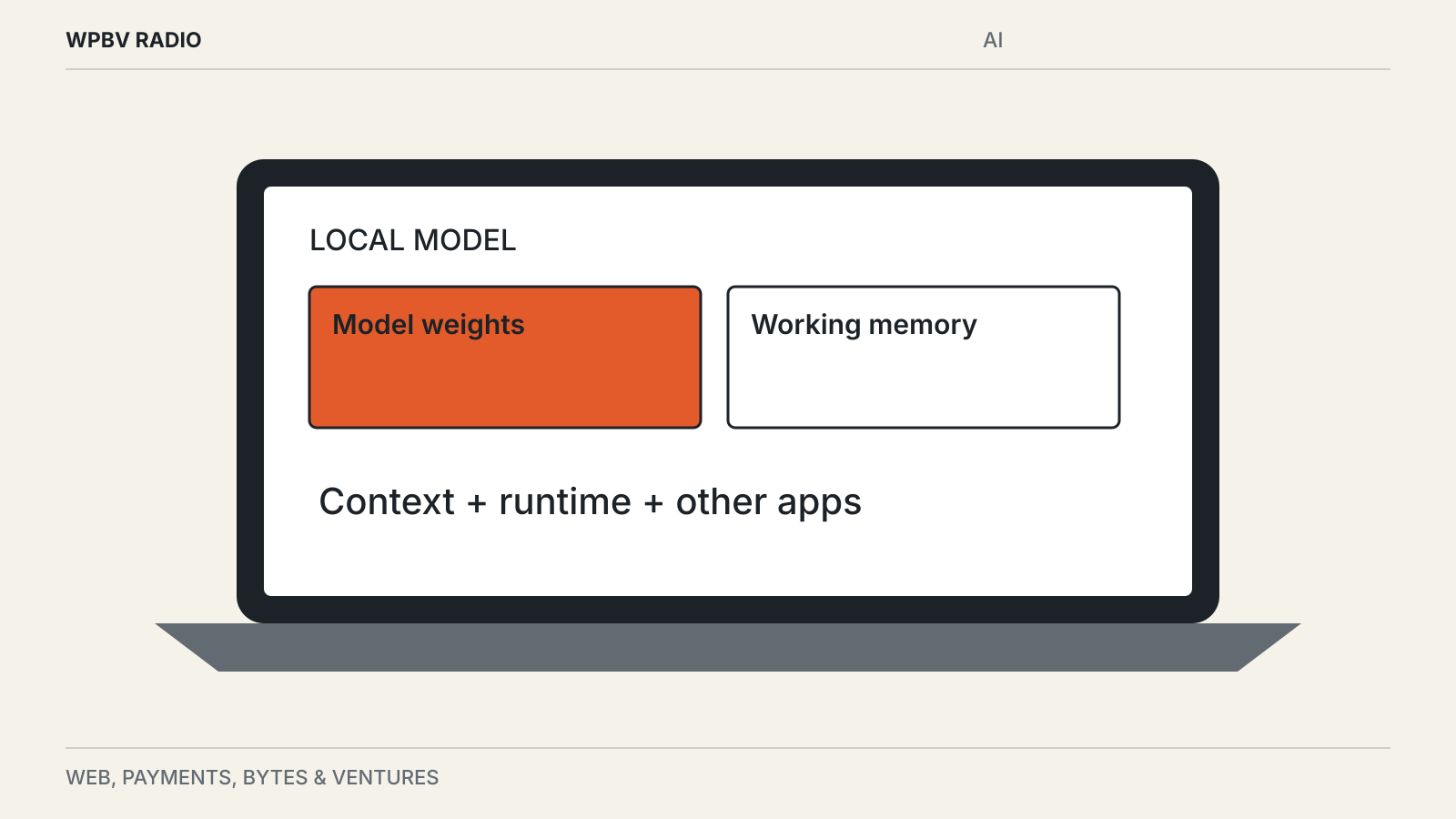
The model file is only part of the memory requirement. The program running it needs memory too, and a longer conversation requires additional working space. Other applications are competing for the same machine.
Quantized models store weights at lower precision to reduce their footprint. That can make local use practical, with tradeoffs that depend on the model and task. A smaller download is not an assurance of equal output quality.
Check the model’s documentation for supported hardware and expected memory. Then leave room for the operating system and the applications you normally use. A setup that works only after closing everything else may be inconvenient for daily work.
Verify where the computation happens
A desktop app is not necessarily a local model. Some tools offer local and cloud models in the same interface.
Ollama’s FAQ distinguishes these modes and documents how to disable its cloud features. It also explains how to inspect whether a running model is loaded on a GPU, CPU or a combination. Those are product-specific controls; another application may behave differently.
Before using private documents, check the selected model and connection settings. Consider whether optional search, document processing or plug-ins contact external services even when the language model runs locally. The relevant question is the complete path taken by the data.
Disconnecting the network can be a useful functional check after installation, but it is not a complete privacy audit. An app may queue requests, keep telemetry or need a network connection for unrelated features.
Try one realistic document
Begin with a non-sensitive sample that resembles your actual work. If you need help with meeting notes, use notes with names, dates and decisions. If you need code assistance, use a small project with the dependencies and conventions you expect.
Ask for an answer that can be checked: list the action items and cite the sentences that support them. Look for missing qualifications and invented details. A polished paragraph tells you little about whether the model understood the source.
Measure the whole experience. How long until the first useful response? Does the laptop become noisy or uncomfortably warm? Does another application become sluggish? Can you keep working while the model processes a longer prompt?
These observations are more useful than comparing a single speed number from a different machine. Our benchmark guide explains how to keep that comparison repeatable.
Keep the first installation simple
One runtime, one well-documented model and one task make problems easier to diagnose. Download model files from the project or a clearly identified publisher, and read the license if you plan to use the model in a product.
Avoid enabling remote access just to make a local experiment convenient. Ollama binds to the local machine by default; exposing its service to a wider network changes who can reach it and requires a separate access-control decision. The same caution applies to AI agents that run commands for you: a contained environment, such as the virtual machine behind the Googlebook Linux terminal preview, limits what they can touch.
Keep a note of the model version and settings that worked. “The small model” is not enough information to reproduce an answer after an update. Save a few sample prompts and outputs, including disappointing ones, before switching versions.