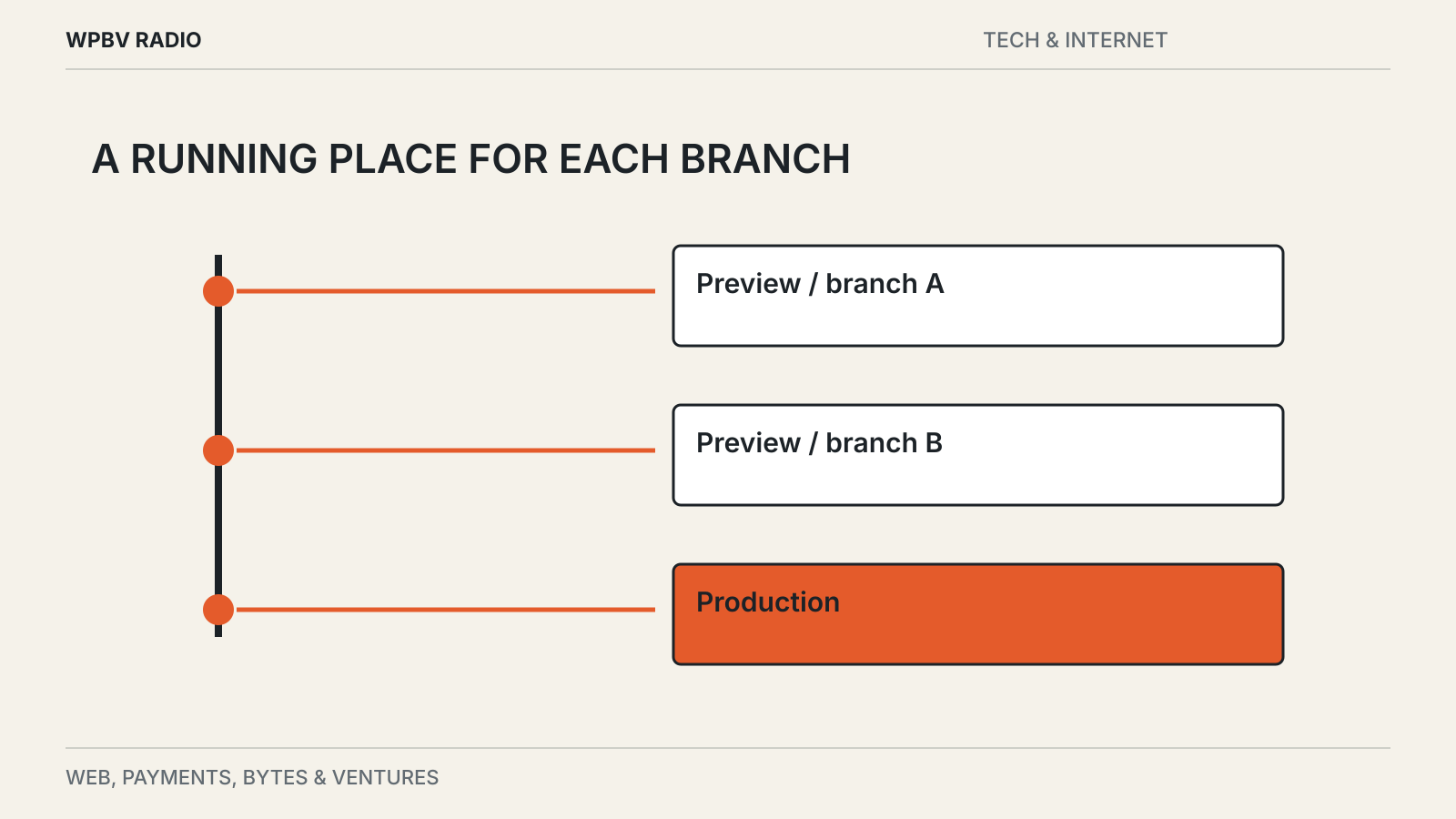
Cloudflare launched Worker Previews on September 22, 2026: every Git branch of a Worker can run as its own preview, with a stable URL, its own settings and, for Durable Objects and Containers, its own state.
Last checked November 11, 2026, against Cloudflare’s launch post and the Previews documentation (resource page last updated November 9).
What Worker Previews do
- One command per branch.
npx wrangler previewcreates or updates a Preview for the current branch, the same waynpx wrangler deployships production. The Preview name defaults to the branch name. It needs Wrangler 4.135.0 or later as a project dependency, according to the get started guide. - Two URLs. The Preview URL always serves the branch’s latest deployment. A Deployment URL points at one specific deploy and never changes, which is useful for linking an exact version in a pull request review.
- Its own settings. Previews do not inherit production settings. They read a separate
previewsblock in the Wrangler configuration file, and Cloudflare calls that block the base configuration. A single Preview can override it, for example to point at its own database. - Automatic Git builds. If the Worker is connected to Git through Workers Builds, a push creates the Preview without running the command by hand.
- Observability per branch. Logs, errors, metrics and traces are scoped to each Preview in the dashboard.
What is isolated, and what is not
The resources and isolation page is the part to read before testing anything that writes data.
Isolated automatically:
- Durable Objects. Each Preview gets a new namespace and storage. The state persists across that Preview’s deployments and is deleted with the Preview.
- Containers. Each Preview gets its own container app and instances. Cloudflare calls container support in Previews partial, and a deleted Preview’s container app can stay behind in
wrangler containers list.
Isolated only if you bind a different resource:
- KV, D1, R2, Vectorize, Hyperdrive, Analytics Engine, Pipelines and Secrets Store. Two Previews bound to the same KV namespace, D1 database or R2 bucket share its data.
- Queue producers. A Preview that sends to a production queue feeds messages to the production consumer.
Not supported in a Preview yet:
- Service bindings call the bound Worker’s production deployment, not a matching Preview.
- Workflows bound in a Preview run the existing Workflow’s deployed code. There is no Preview-specific Workflow.
- Queue consumers cannot target a Preview.
- Cron Triggers and routes stay on production. To test scheduled code, Cloudflare suggests calling the same function from a test-only route on the Preview URL.
Limits on Free and paid plans
The Previews overview lists two limits:
- Previews per Worker: 100 on the Free plan, 500 on paid plans.
- Deployments per Preview: 100 on both.
When a limit is reached, Cloudflare deletes the oldest entry to make room. A worked example: a Free-plan Worker with 100 live Previews gets 20 new branches pushed. The 20 Previews deployed to least recently are deleted, along with their Durable Object state. Teams that keep a long-running staging or QA Preview should run npx wrangler preview delete on closed pull requests, so cleanup never reaches the Preview they rely on.
Previews, Version URLs and Wrangler environments
The older Workers “preview URLs” are now called Version URLs. Cloudflare’s workflow comparison separates the three options:
- Previews (
npx wrangler preview): full environments for branches and pull requests under one Worker. Cloudflare’s recommended way to test changes before production. - Version URLs (
wrangler versions upload): one uploaded version of the code running against production resources. Cloudflare says not to use them for branch testing. Teams using--preview-aliasare told to move tonpx wrangler preview --name. - Wrangler environments (
wrangler deploy --env <name>): separately deployed Workers, such as a persistent staging Worker. Previews can run inside an environment withnpx wrangler preview --env staging, and every later Preview command needs the same--envvalue.
Before sharing a Preview URL
Preview URLs are public by default. Cloudflare Access can require sign-in for all Previews on an account, one Worker’s Previews or specific hostnames, as the custom domains page explains.
On workers.dev, Previews send an X-Robots-Tag: noindex header, so search engines are told not to index them. Previews on a custom domain, such as feature-login.previews.example.com, do not get that header automatically. A public custom-domain Preview needs Access or its own noindex header.
Secrets are handled apart from the configuration file. Secrets set in the base configuration reach only new Previews, so rotating a base secret leaves active Previews on the old value until each one is updated with npx wrangler preview secret put, per the configuration page.
What Cloudflare says comes next
The launch post names three gaps it is working on: Previews across several Workers, so a service binding stays inside matching Previews; Queue consumers and Workflows scoped to each Preview; and long-lived Previews for staging and QA environments.
For background on why a shared dependency can still break an isolated test, read why unrelated applications can share an outage. For how a change then reaches users in steps, see staged rollouts. On the data side, Cloudflare has since launched Basin, its Iceberg data platform.